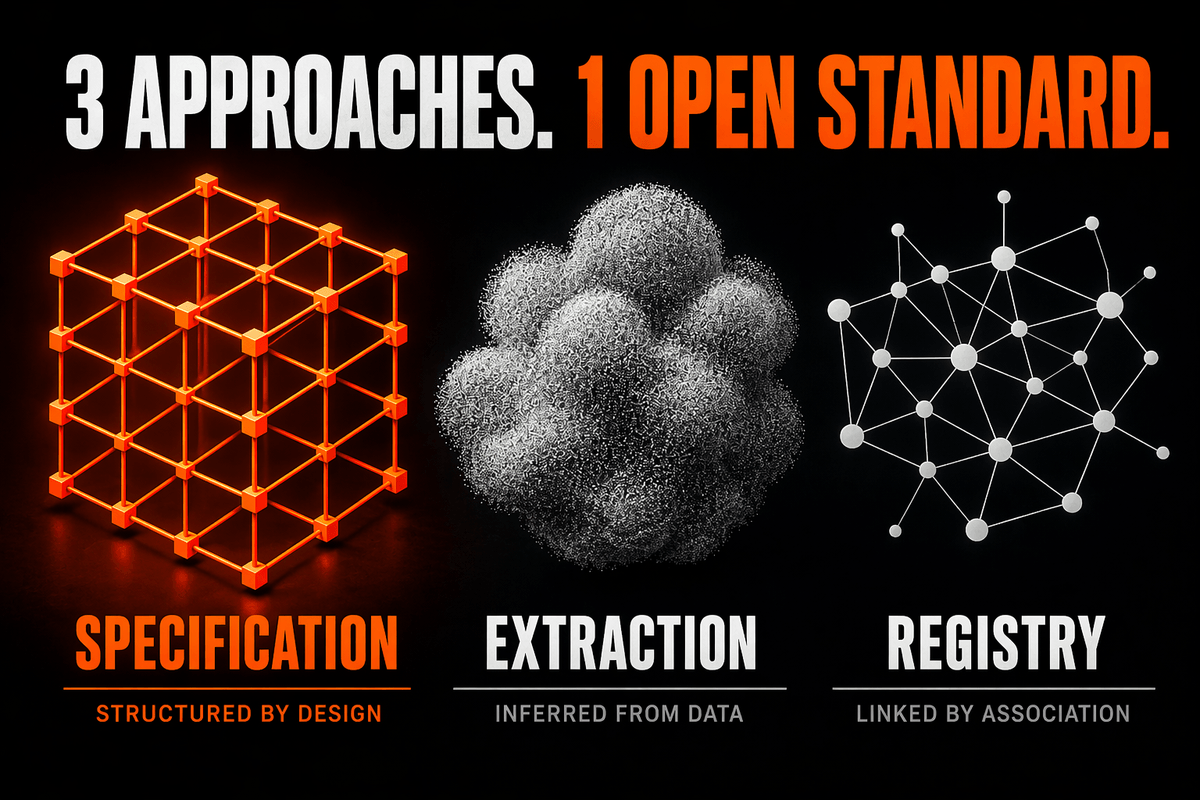
Three AI design tools shipped incompatible approaches to brand context in six months. Only DESIGN.md is open and portable — here's why that matters.
Within six months, three major players shipped incompatible answers to the same question: when an AI tool generates UI, how does it know your brand instead of defaulting to generic Tailwind starter output?
Vercel spent 2025 building out v0’s shadcn Registry with Model Context Protocol (MCP) support. On April 17, 2026, Anthropic launched Claude Design. Four days later, Google open-sourced the DESIGN.md specification that powers its Stitch design tool. Three products. Three architecturally incompatible approaches. And only one of them produced anything portable.
If you’re using AI tools to generate UI — and most of us are, at least for prototypes — the approach you implicitly adopt matters more than which tool you pay for.
The Bottleneck Moved
A year ago, the problem with AI-generated UI was prompt quality. That’s mostly solved. The problem now is consistency — the “every component looks slightly different” drift that shows up within a week of using any generative UI tool on a real project.
The instinctive fix is better prompts. The structural fix is persistent brand context. An agent with no design constraints produces plausible-looking chaos because it’s sampling from a distribution shaped by its training data, not by your brand. Feeding it your visual identity on every prompt doesn’t scale. Committing that identity somewhere the agent can read on every session does.
Three vendors are betting big on three ways to do that.
Approach 1: Brand as Specification (Stitch / DESIGN.md)
Google’s answer is a file committed to your repo. DESIGN.md combines YAML front matter for machine-readable design tokens — colors, typography, spacing, component definitions — with a markdown body that explains the reasoning behind those choices. The tokens give agents exact values. The prose tells them why.
The spec is Apache 2.0 licensed, currently at alpha (version 0.1.0 as of the April 21 release). The npm package @google/design.md ships a linter that validates token references, flags WCAG contrast failures at AA, and detects orphaned tokens. Exports to Tailwind theme configs and DTCG tokens.json already work.
Strengths: Version-controllable. Diff-friendly. Readable by any LLM without special tooling. It sits alongside AGENTS.md, CLAUDE.md, and .cursorrules — the agent context layer that’s quietly become part of every serious repo.
Weaknesses: Manual authoring — there’s no extraction from existing assets yet. Alpha-stage, so the format will shift. The spec defines the file but not the agent-side contract — how a given tool should consume the file is undefined.
Approach 2: Brand as Extracted Knowledge (Claude Design)
Anthropic’s answer is inference. You upload codebases, slide decks, screenshots, and existing design files; Claude Opus 4.7 reads them and builds an internal UI kit of colors, typography, components, and layout patterns. There’s no file to edit. The system lives in your Claude Design organization settings, applied automatically to every project.
Strengths: Near-zero upfront effort. Handles implicit brand signals that are hard to articulate explicitly — the “feel” of a brand encoded across many artifacts. Handoff to Claude Code packages the design context with the prototype, so the jump from mockup to production is seamless.
Weaknesses: Proprietary and opaque. You can’t diff your design system in a pull request. You can’t lint it in CI. You can’t take it with you if Anthropic sunsets the product or changes pricing.
Approach 3: Brand as Distribution (Vercel v0 + shadcn Registry + MCP)
Vercel’s answer is executable code. Components, blocks, and tokens live in a shadcn-style registry, exposed to any agent via Model Context Protocol. v0, Cursor, Windsurf — any MCP-aware tool — can pull your actual production components into its generation context.
Strengths: Unifies design and code. The registry is the production code. Matches how engineering teams already distribute libraries. Cross-tool support via MCP means your constraints work in Cursor as well as v0.
Weaknesses: Real engineering investment required. Coupled to the shadcn/ui ecosystem and Tailwind conventions. Protocol-level lock-in trades one problem for another — you’re not locked to a vendor, but you are locked to an ecosystem.
The Three Bets
Each approach encodes a different theory of what a design system is when its primary consumer is an agent. Declarative rules, learned representation, or executable distribution. None is obviously wrong, and most teams will end up using more than one.
But the approaches fragment the ecosystem in ways that matter. The asymmetry between the three is stark: only one is open, portable, and tool-agnostic.
Why the Open Format Wins
Claude Design reads DESIGN.md. v0 can consume its Tailwind exports. A Cursor session can inject it as prompt context. Any agent that reads markdown — which is all of them — can work with the format. Neither Claude Design nor v0 emits anything with comparable reach.
That’s the strategic fact. The artifact you can export to every tool is the one that de-risks your investment. Tools get acquired, pivot, or change pricing. Your DESIGN.md still works.
Technical Analysis: The Agent Context Layer
We’re seeing the emergence of a new layer in the software stack: Agent Context. Just as we have .env for secrets and package.json for dependencies, we now need a standard way to tell AI agents about our intent, architecture, and design.
Required Foundation: The Agent Contract
When implementing any of these tools, you must define the contract between your code and the agent. In a DESIGN.md world, that contract is the token schema.
# DESIGN.md snippet
tokens:
  colors:
    brand:
      primary: '#1a1a1a' # WCAG AA compliant against #ffffff
      accent: 'var(--color-accent)'
  spacing:
    container: '2rem'
Implementation: Integrating DESIGN.md into CI
The real power of an open spec is that you can build your own tooling around it. Here is how you can wire the design.md linter into your GitHub Actions:
name: Design Lint
on: [push]
jobs:
  lint:
    runs-on: ubuntu-latest
    steps:
      - uses: actions/checkout@v4
      - run: npx @google/design.md lint DESIGN.md
Trade-offs and Limitations
- DESIGN.md requires manual maintenance. If you update your Figma but forget the MD file, the agent will generate stale UI.
- Claude Design is incredibly fast to start but creates a “black box” of design rules.
- Vercel Registry is the most robust but requires you to maintain a separate registry service or endpoint.
Next Step
Author a minimal DESIGN.md this week and wire the linter into your CI pipeline. A ten-line file with your primary colors and type scale is more portable brand context than most teams currently have.
Learning Path
- DESIGN.md specification — the full spec and CLI.
- Vercel Registry and MCP documentation — the registry approach.
- Claude Design setup guide — extraction-based context.
Discussion
Which of the three approaches has your team implicitly committed to — and what happens to that investment if the tool changes eighteen months from now?